Cyber Security—What most people are Vulnerable to
Why Most People Get Hacked - And It's Not What You Think
When we think of cyber security, we imagine a hooded hacker breaking into a supercomputer. The reality is much simpler. Most people aren't hacked because hackers are geniuses. They are hacked because we make it easy.
Here are the 7 vulnerabilities almost everyone has, and how to fix them in 5 minutes.
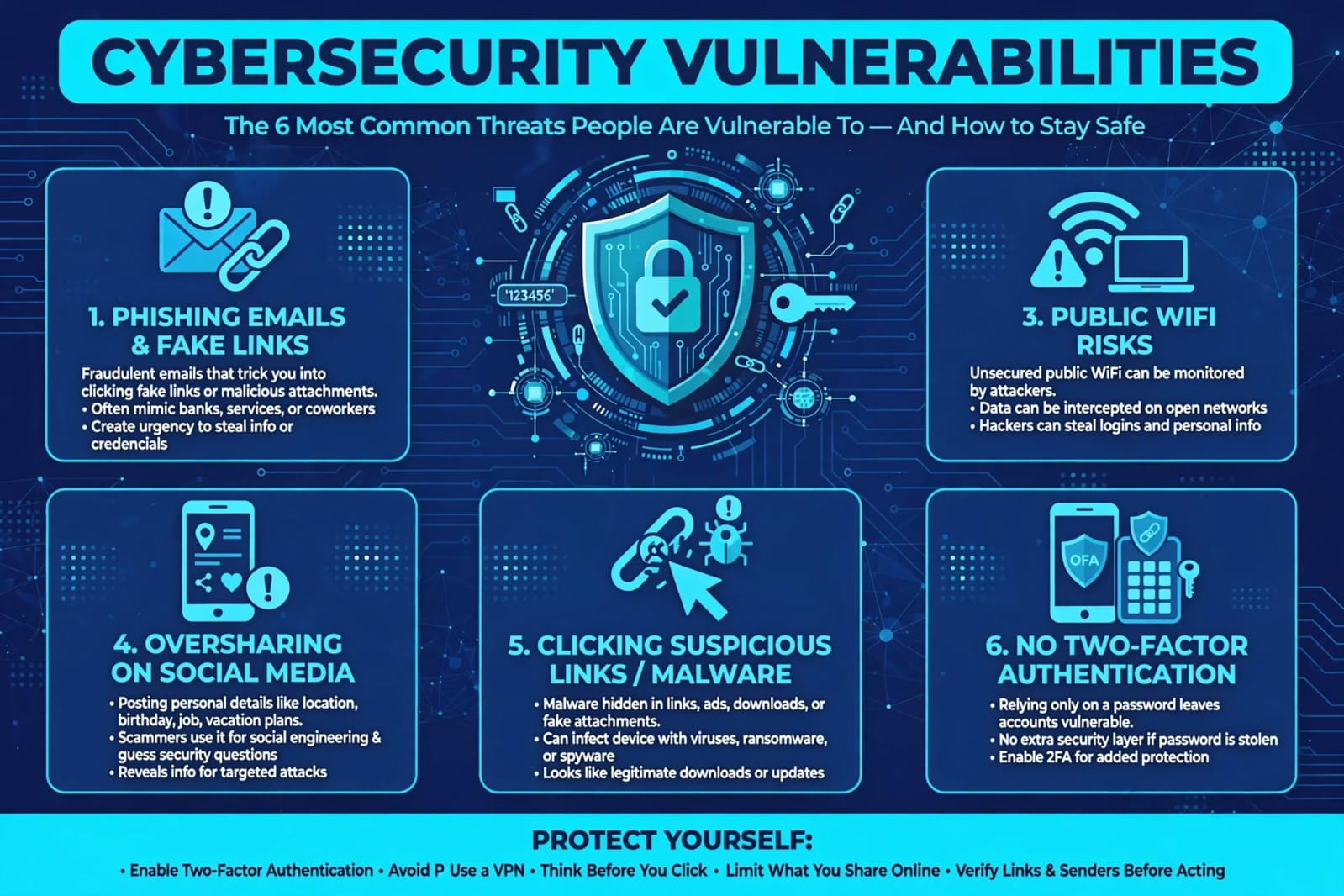
1.Phishing:
The #1 Way People Get Compromised.More than 90% of cyber attacks start with an email, text, or DM.
It’s not the badly written "You have won a prize" email anymore. Now it looks exactly like:
* "Your Gmail storage is full - click here to upgrade" • "Your package could not be delivered - track here" • A fake invoice from your boss or client on Facebook
You click the link, you enter your password on a fake page, and they have it. It takes 30 seconds.
Fix:
Never click a link to log in. Go to the site directly. If you get a message about your bank, Gmail, or Instagram, close the message and open the app yourself. Check the sender email carefully - support@micorsoft.com is not Microsoft.
2. One Password for Everything
This is the biggest mistake. Most people use 2-3 passwords for everything - Facebook, bank, email, Daraz.
If one small website you used 3 years ago gets leaked, hackers try that same email and password on Gmail, Instagram, and your bank. This is called credential stuffing and it works shockingly often.
Fix:
Use a password manager like Google Password Manager, 1Password, or Bitwarden. Let it create a different, long password for every site. You only need to remember one master password.
3. Ignoring Updates
That "Update Now" notification on your phone, laptop, and browser feels annoying, so we click "Later."
Those updates are not just new features. They are patches for security holes that hackers already know about. An outdated Chrome, Android, or Windows is an open door.
Fix:
Turn on automatic updates for your phone, browser, and Windows/Mac. It’s the easiest protection you’ll ever get.
4. No Two-Factor Authentication (2FA)
A password alone is not enough anymore. If someone steals your password, 2FA is the second lock that stops them.
Most people still don’t enable it because it feels like extra work.
Fix:
Turn on 2FA for your email, Instagram, Facebook, and bank accounts RIGHT NOW. Use an authenticator app like Google Authenticator or Microsoft Authenticator, not SMS if you can. It takes 2 minutes and blocks 99% of automated attacks.
5. Public WiFi and Public Charging
Free WiFi at a cafe, airport, or university is convenient, but it’s also easy to spy on. Hackers can create a fake WiFi called "Free Cafe WiFi" and see what you do. Public USB charging ports can also be rigged.
Fix:
Never do banking or log into important accounts on public WiFi. Use your mobile data instead, or use a VPN. Carry your own charger and plug into a wall outlet, not a public USB port.
6. Oversharing on Social Media
We post our birthday, pet’s name, school name, mother’s maiden name, and live location. Guess what? Those are the answers to your security questions and clues to your passwords.
Scammers also use this info to create very personal scams: "Hi Ifra, I’m calling from your bank, I know your birthday is..."
Fix:
Make your security question answers fake and random, like any other password. Don’t post your full birth date, address, or real-time location. Set your Facebook and Instagram to friends-only.
7. Thinking "I’m Not Important Enough to Be Hacked"
This is the most dangerous mindset. Hackers don’t target you specifically. They run automated bots that attack 1 million people at once. They don’t want your secrets, they want your identity, your contacts to scam, or to use your account to scam others.
Your Facebook account alone can be used to scam your friends and family for money.You don’t need to be a tech expert. You just need to be slightly harder to hack than the next person.
Your 5-Minute Security Checklist:
1. Turn on 2FA for email and Instagram
2. Install a password manager and change your top 5 passwords
3. Update your phone and browser today
4. Check haveibeenpwned.com to see if your email was leaked
Do these four things today and you will be safer than 95% of people online.